
Arbor App
At UTC, we are committed to making communication with families simple, efficient and engaging. The Arbor Parent App is our main platform for sharing important information with parents and carers.

What is the Arbor Parent App?
The Arbor Parent App is a secure, easy‑to‑use platform that links parents and carers directly with UTC. Once downloaded, it allows you to:
-
Receive instant messages and updates from school
-
Make secure payments for meals, trips, and activities
-
Give consent for fixtures, trips, and media use
-
Sign up for extra‑curricular clubs
-
Track attendance, behaviour logs, and house points
-
Access reports and progress information
It’s designed to put everything you need in one place, saving time and ensuring you never miss an update.
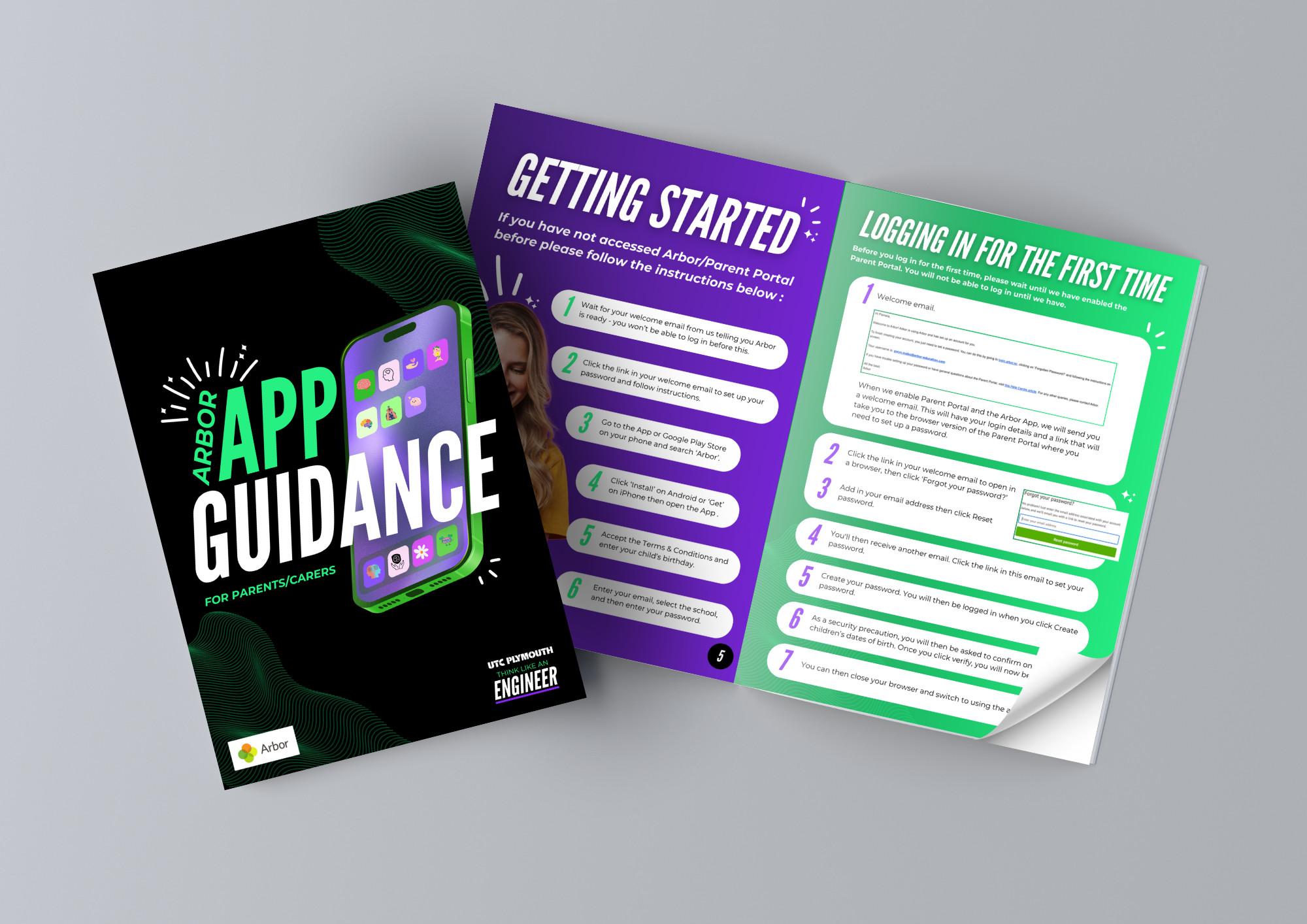
Need help getting started?
Explore our Arbor Parent App Guide for all the tips and advice you will need to get you started. If you run into any problems or have any questions our team are happy to help.
School Meals & Payments
With Arbor, you can top up your child’s meal balance anytime, anywhere. Payments are secure and instantly available for use in the canteen.
Parents and carers can also:
-
View real‑time balances
-
Check what their child has purchased
-
Track healthy eating choices
Arbor provides step‑by‑step guides and short videos to help you manage payments with ease.
Trips, Clubs & Consent
Arbor makes it easier than ever to stay connected with your child’s school life:
-
Approve trips instantly with a few taps
-
Give one‑time or annual consent for activities (sports fixtures, medical permissions, media use)
-
Sign up for after‑school clubs directly through the app
This streamlined approach means less paperwork, fewer admin delays and more opportunities for students to take part in enriching activities.
Communication Made Simple
Arbor is now our primary communication tool, replacing paper letters. We currently send emails via our arbor platform with vital information as attachments.
To make the most of this feature, we recommend enabling push notifications so you’re alerted instantly when a message arrives.
Frequently Asked Questions
1. How do I get started?
You’ll receive a welcome email with a link to set up your account. Create a password, log in using your registered email, and download the Arbor Parent App from the App Store (iOS) or Google Play (Android).
2. What can I do in the app?
-
View your child’s timetable, attendance, and behaviour points
-
Top up meal balances and pay for trips or activities
-
Sign up for clubs and give consent for trips/media use
-
Receive instant in‑app messages and updates
-
Book parent/teacher meetings
3. How do I make payments?
Go to the Payments section in the app, select the item, choose the amount, and pay securely by card.
4. How do I sign up for clubs or trips?
Go to Activities, select the club or trip, and follow the on‑screen steps to register and pay if required.
5. How do I send or receive messages?
Arbor replaces most school emails with in‑app messages. Enable push notifications to stay updated.
6. What if I forget my password?
Select “Forgotten your password?” on the login screen and follow the instructions. If issues persist, contact the UTC office.
7. Can I use Arbor on more than one device?
Yes — multiple carers can log in with the same account details.
8. What if I don’t have a smartphone?
You can access the Arbor Parent Portal via any web browser on a computer.
Extra Support
Arbor offers a wide range of help guides and short videos covering everything from logging in for the first time to making payments and managing notifications. You can find these resources on the Arbor Help Centre.